

VideoTutor · Phase 3
I led VideoTutor from a set of promising AI capabilities to a coherent learning product. I defined the end-to-end journey, initiated a strategic redesign, and built interaction patterns that could support new audiences and learning tools without fragmenting the core lesson.
Role
Lead Product & UX/UI Designer
TIMELINE
Apr - May 2026
scope
Product Strategy · AI Interaction · Shipped UX/UI
Impact
A scalable foundation for the evolving learning product
00
PROJECT context
The product opportunity
Generate to Animation

Long-term Memory

MY CONTRIBUTIONS
0–1
Establish the core
Define one complete journey from first question to continued learning.
1
Proactive redesign
Improve the learning loop
Evolve the experience for a broader audience and future product direction.
2
System extensions
Add capabilities gracefully.
Integrate downloads and exam tools without fragmenting the lesson.
3
01
Establishing the core
From a question to an ongoing learning relationship.
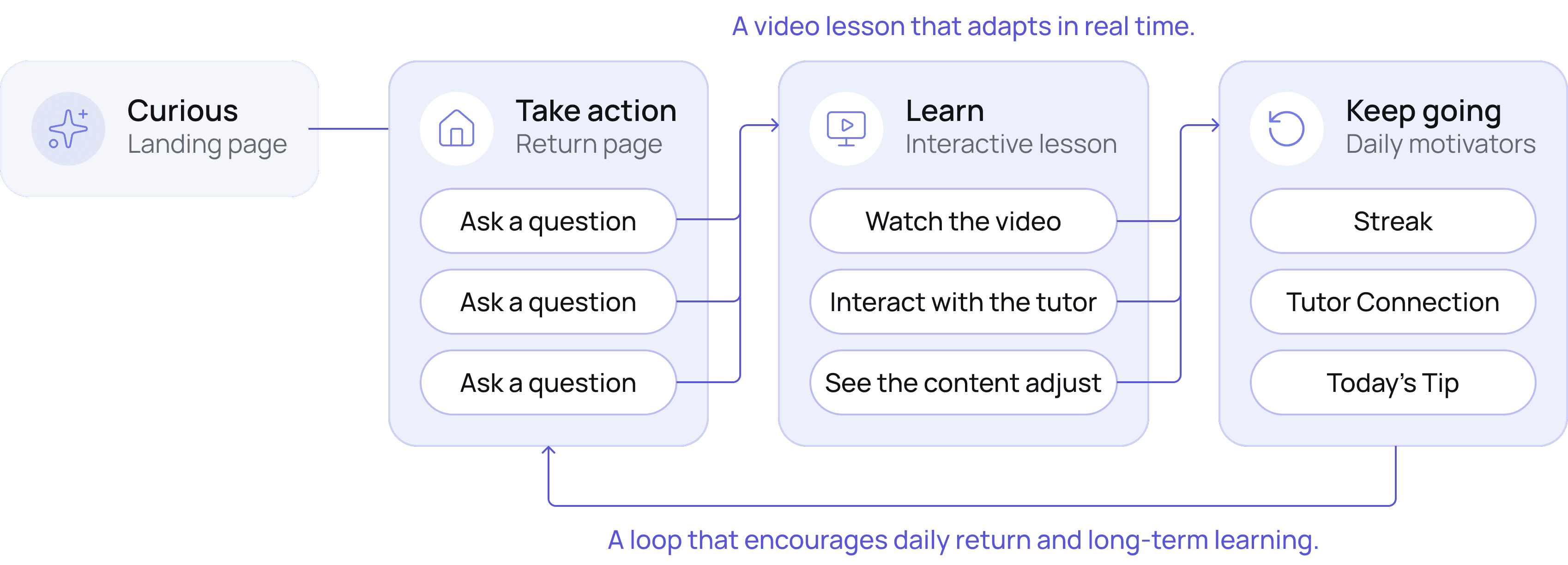
I led the complete experience across the landing page, logged-in return page,
lesson generation, interactive classroom, and future learning continuity.
BEFORE
One-time learning journey
Ask a question
Watch a generated lesson
Leave
AFTER
An ongoing learning relationship.
Instead of relying on a single action to start learning, I redesigned the return experience around multiple entry points, visible progress, and emotional motivators to encourage learners to continue and come back.
Previous Iterations


V0 - MVP (before I join)
Validating the core loop

V1 - Early Beta Launch
Exploring reasons to come back

V2 - Product Evolution
Simplifying the return experience
I designed the return page around four retention hypotheses:
01
Discover
Suggest topic-aware prompts and related facts.
02
Practice
Create a lightweight daily challenge habit.
03
Progress
Make streaks and tutor connection visible
04
Continue
Help learners resume recent lessons quickly.
Design judgment: I treated these as retention hypotheses, not proven gains. Their value at this stage was helping the team move from a one-time answer model toward a clearer product model for continued learning.
V3 - Designing for Return Motivation


How the Design Evolved
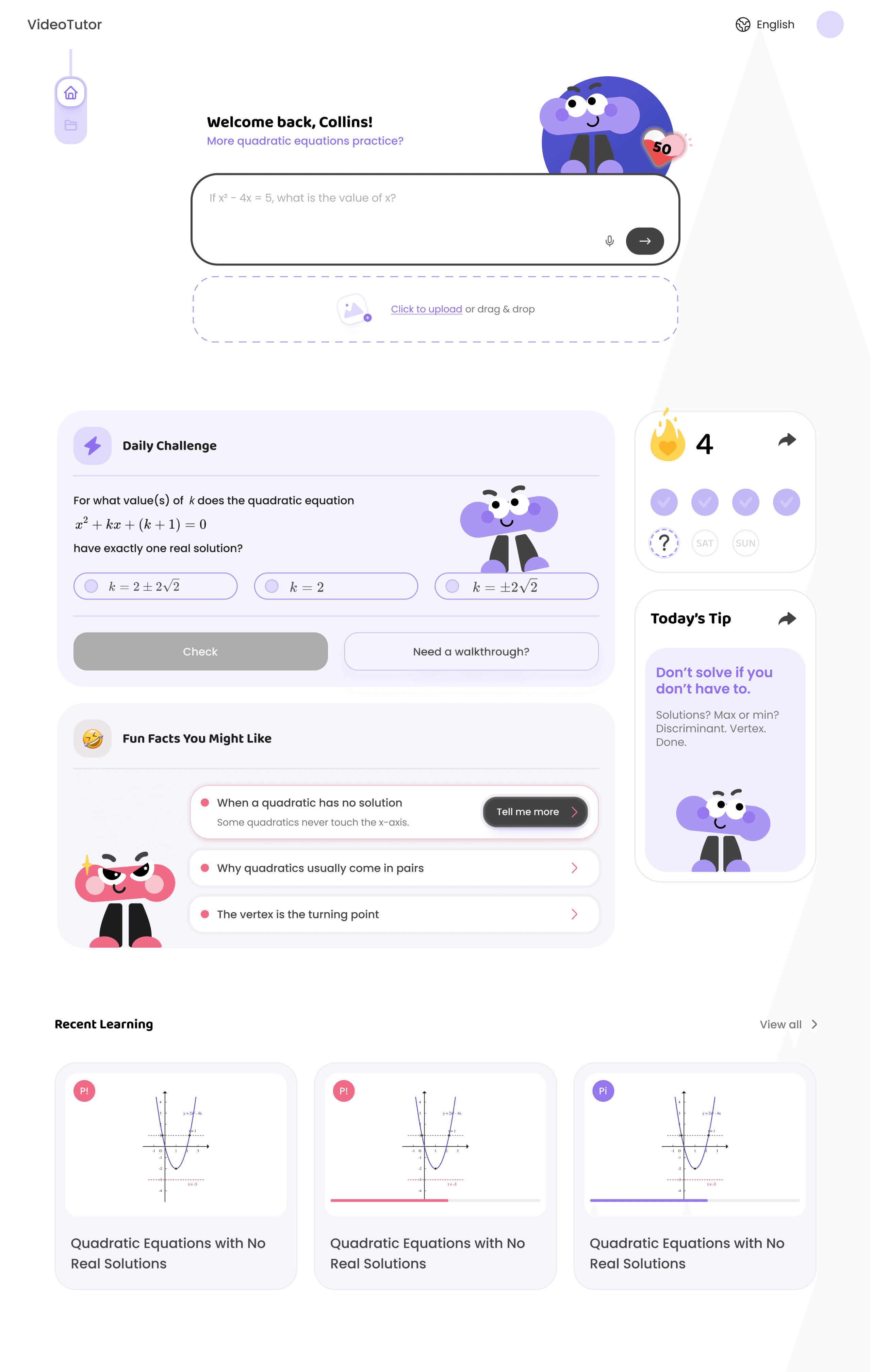


The return page evolved alongside VideoTutor's product strategy and feature expansion. As the product grew beyond K–12 test prep, new capabilities such as tutor personas and exam mode were introduced, while the visual language matured into a cleaner, more universal experience.
Switch Tutor
Upload file
Daily Challenge
Fun Facts
03
In-class experience
Product shift
From generated video to live learning session
UX architecture
Lesson, tutor, and tools working as one experience
Business value
A scalable classroom for broader subjects and modes
Previous Iterations
See the Phase 2 exploration

V0 - MVP (before I join)

V1 - Early Beta Launch
Retention-focused video experience

V2 - Product Evolution
Interactive lesson exploration
The problem was NOT how to add AI chat to a video player.
The classroom needed a new operating model: the lesson had to stay central, tutor support had to appear in context, and every AI-driven change had to feel understandable to the learner.
01
02
Bring tutor support into context
03
Thank you for viewing my work :)

VideoTutor collection · Overview
Phase 3 Case Study →
Back to top ↑
Work in progress...
Still turning months of chaos into a coherent story.